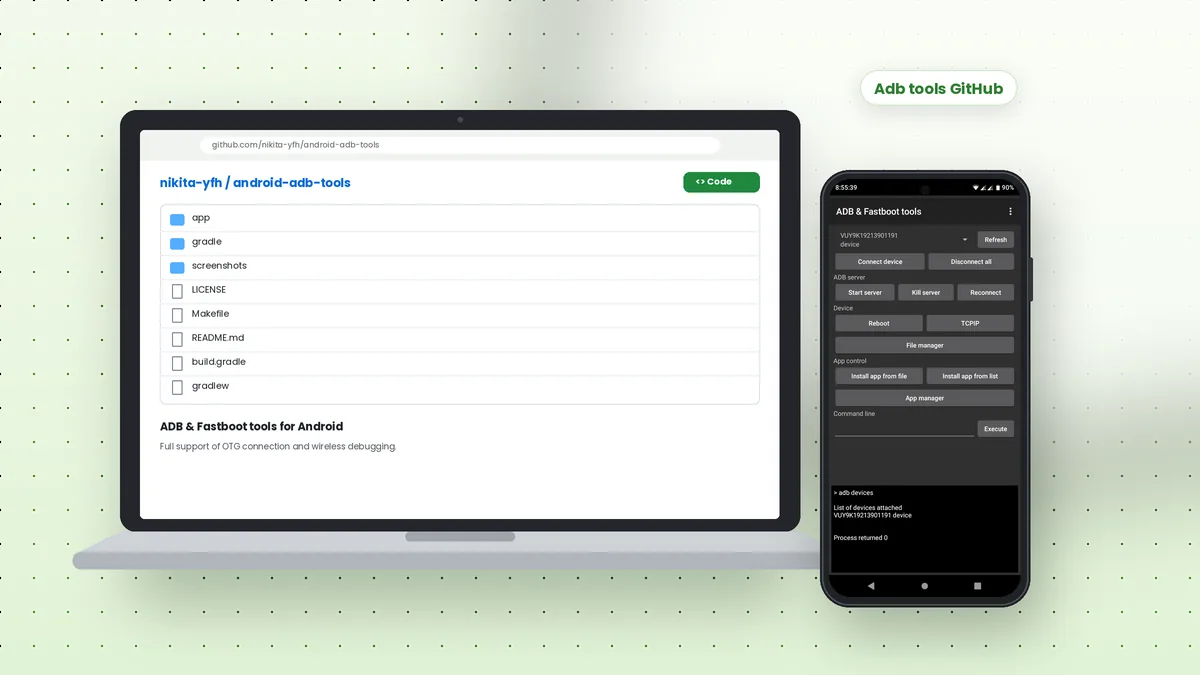
Adb tools GitHub searches usually lead developers and Android enthusiasts to open-source projects that wrap Android Debug Bridge in a friendlier interface. One such project is android-adb-tools by nikita-yfh, an MIT-licensed Android app that runs ADB and Fastboot commands from one phone to another, with support for OTG cables and wireless debugging.
What the android-adb-tools Repository Contains
The repository holds the full source code of an Android application written in Java, along with Gradle build files, a Makefile, a license file and a folder of real screenshots. Its README describes the app as "ADB & Fastboot tools for Android" and lists the core features clearly.
Unlike desktop platform-tools, this project lives on the phone itself. One device acts as the host, and a second device connects to it over a USB OTG adapter or over the network, so you can manage a target phone without a computer nearby.
Main Features Listed in the README
- File manager for browsing and moving files on the connected device
- App manager for viewing, installing and removing packages
- Backup and restore tools
- Fast app installing from a file or from a list
- Multiple device support
- A built-in command line for typing ADB or Fastboot commands
Root Permission Requirement
The README states plainly that the app needs root permission to work. Root access lets the host phone talk to USB hardware and run low-level operations that a standard Android app cannot perform. Without root on the host device, most functions will not run.
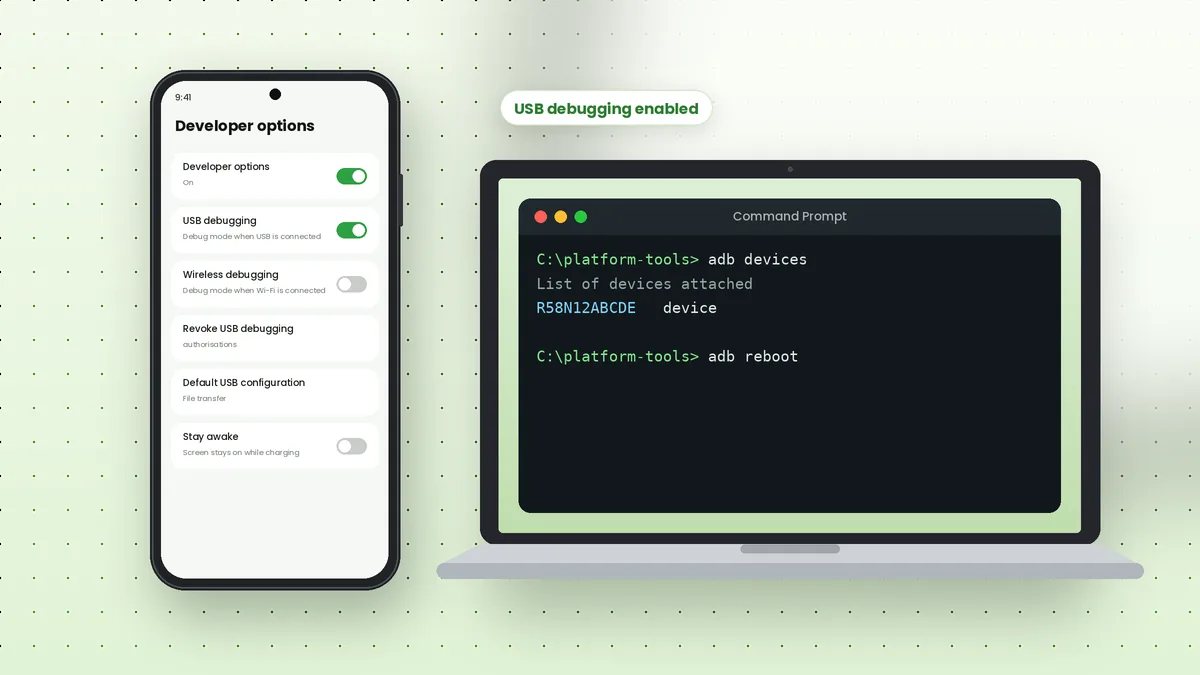
The target device does not need root for normal ADB tasks. It only needs USB debugging enabled, exactly like a phone connected to a computer. Fastboot operations work when the target is booted into its bootloader.
How the App Interface Is Organised
The screenshots in the repository show a practical layout. A device selector with a Refresh button sits at the top, followed by buttons for connecting and disconnecting devices, starting or killing the ADB server, and reconnecting.
Further down, you find device controls such as Reboot and TCPIP, a File manager button, app controls and a command line field with an Execute button. Output from commands such as adb devices appears in a console area at the bottom of the screen.
| Area | What it does |
|---|---|
| Connect device | Connects to a target by IP address and port, such as 5555 |
| ADB server | Start server, Kill server and Reconnect buttons |
| Reboot menu | System, Fastboot, Recovery, Sideload and Sideload (Auto reboot) |
| Fastboot tab | Device info, Reboot, Boot ROM, Flash, Erase, Unlock and Lock |
| Set permissions | Grant or revoke Android permissions for a selected app |
Building the App from Source
The README includes short build instructions. You set the ANDROID_HOME variable to the location of your Android SDK, then run the Gradle wrapper to install a debug build on a connected device.
export ANDROID_HOME=/path/to/android/SDK/
./gradlew installDebug
The Makefile also includes a release target that assembles an unsigned release build and signs it with apksigner. Check the repository's Releases page as well; if a prebuilt APK is published there, you can install it with adb install instead of building it yourself.
Who This Project Is Useful For
This kind of phone-to-phone tool suits technicians and enthusiasts who repair or flash devices away from a desk. With a rooted spare phone and an OTG adapter, you can read logs, reboot into recovery or push files on the go.
Developers who want to learn how ADB and Fastboot protocols work can study the source code too. Classes for Fastboot devices, sparse image headers and exceptions show how the app communicates with hardware directly.
Desktop Alternative: Platform-Tools
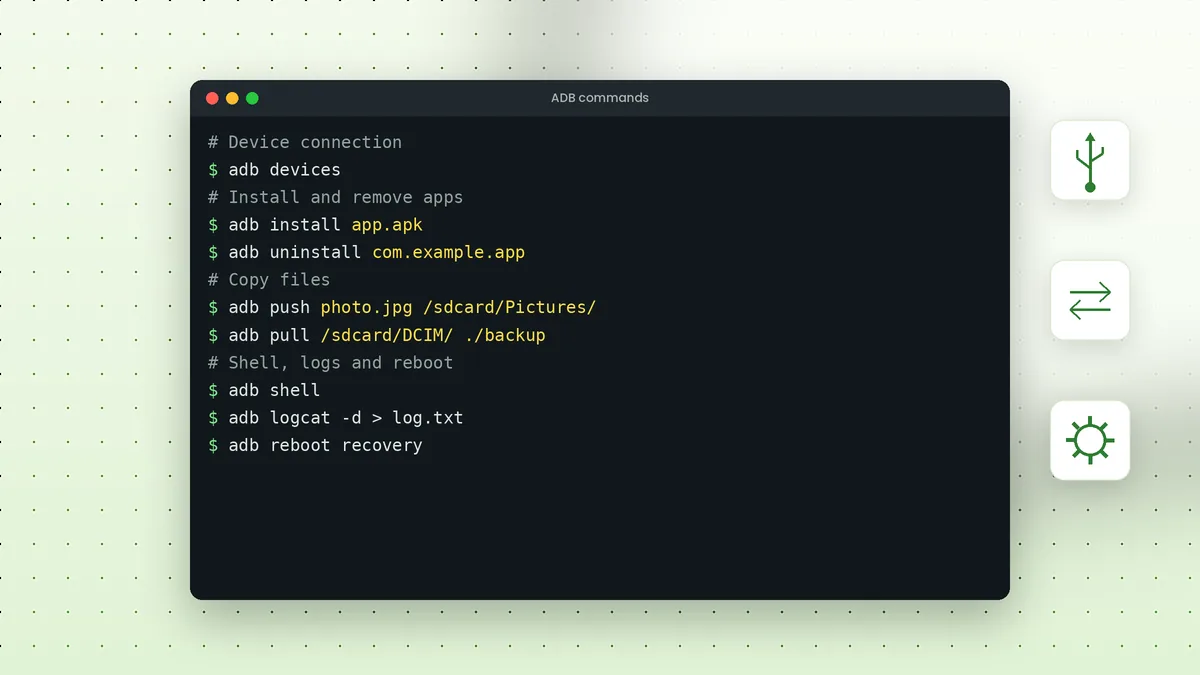
If you do not have a rooted host phone, Google's SDK Platform-Tools package remains the standard way to use ADB from Windows, macOS or Linux. Our Windows download walkthrough and the ADB commands list cover that route step by step.
Both approaches send the same kind of commands to the target device. The difference is simply where the ADB client runs: on a computer in the case of platform-tools, or on a second Android phone in the case of android-adb-tools.
Repository Structure at a Glance
Knowing where things live makes the project easier to explore before you build it. The top level of the repository is small and follows a standard Gradle layout for Android apps.
| Item | Purpose |
|---|---|
| app | Java source code, layouts and resources for the Android app |
| gradle and gradlew | The Gradle wrapper used to build without a separate Gradle install |
| screenshots | Real screenshots of the app used in the README |
| Makefile | Shortcuts for debug, release and clean builds |
| LICENSE | The MIT License text |
Licence Terms in Plain Words
The MIT License is one of the most permissive open-source licences. You may use, copy, modify, merge, publish and distribute the software, including in commercial projects, as long as the copyright notice and licence text stay with it.
The licence also states that the software comes without warranty. Since the app works with root access and Fastboot flashing, test it on a spare device before using it on a phone that holds important data.
Frequently Asked Questions
Yes. The project is published under the MIT License, which allows free use, modification and distribution, provided the license notice is kept.
No. Root is required on the host phone running the app. The target phone only needs USB debugging enabled for ADB tasks.
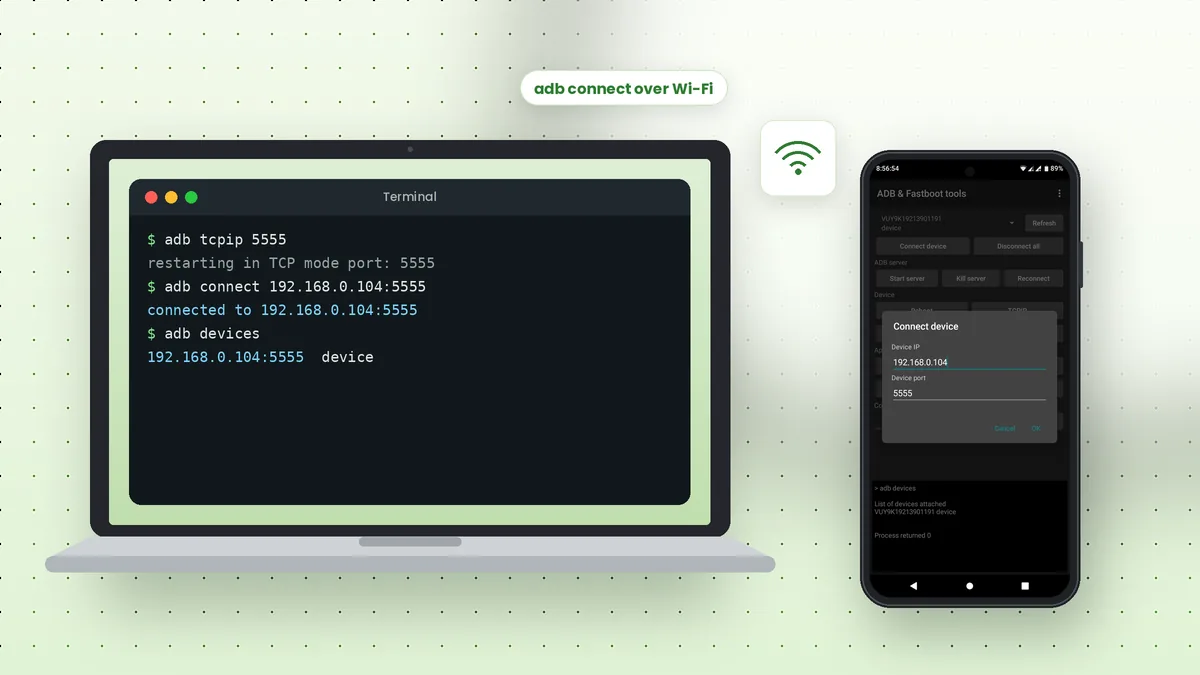
Yes. The README mentions wireless debugging support, and the app includes a Connect device dialog where you enter an IP address and port.
Use the Issues tab of the GitHub repository, where the maintainer and other users can see and respond to reports.
Conclusion
Adb tools GitHub projects like android-adb-tools show how flexible Android Debug Bridge can be when it runs on a phone instead of a computer. With root on the host, an OTG cable or Wi-Fi, and USB debugging on the target, you get file management, app control, reboots and Fastboot actions in your pocket.
For everyday computer-based work, platform-tools remains the simpler starting point. Use the download section on our homepage to reach the GitHub project or the desktop packages.
 Adb Tool Samsung: Set Up USB Debugging on Galaxy Phones
 ADB Commands List: Essential Commands with Examples
 How to Use ADB Over Wi-Fi Without a Cable?